GitAuto Logo
  1. Home
  2. Pricing
  3. Docs
  4. Dashboard
  5. Blog
  6. Contact
  1. Home
  2. How It Works
  3. Use Cases
  4. Pricing
  5. Docs
  6. Dashboard
  7. FAQ
  8. Blog
  9. Contact

Test Failure Trigger

The Test Failure Trigger automatically analyzes failed CI/CD workflows on GitAuto-created PRs, identifies the root cause, and creates fix commits. It also cancels running workflows to prevent waste when new commits are added.

Why use the test failure trigger?

Automatic Error Analysis: GitAuto reads error logs, identifies root causes, and creates targeted fixes without human intervention.

Workflow Optimization: Cancels running workflows when fix commits are added, preventing unnecessary CI/CD resource usage and costs.

Safety Mechanisms: If the process encounters issues, you can safely stop it by closing the PR or deleting the branch.

Perfect for: Teams with complex CI/CD pipelines, projects with strict test requirements, and reducing manual debugging of test failures.

How to use the test failure trigger

1

Enable the Trigger

Go to your Trigger Settings and ensure "On test failure" is enabled. This trigger is enabled by default.

2

GitAuto Detects Test Failures

When a CI/CD workflow fails on a GitAuto-created PR, the trigger automatically activates. It only responds to failures on GitAuto PRs, not human-created ones.
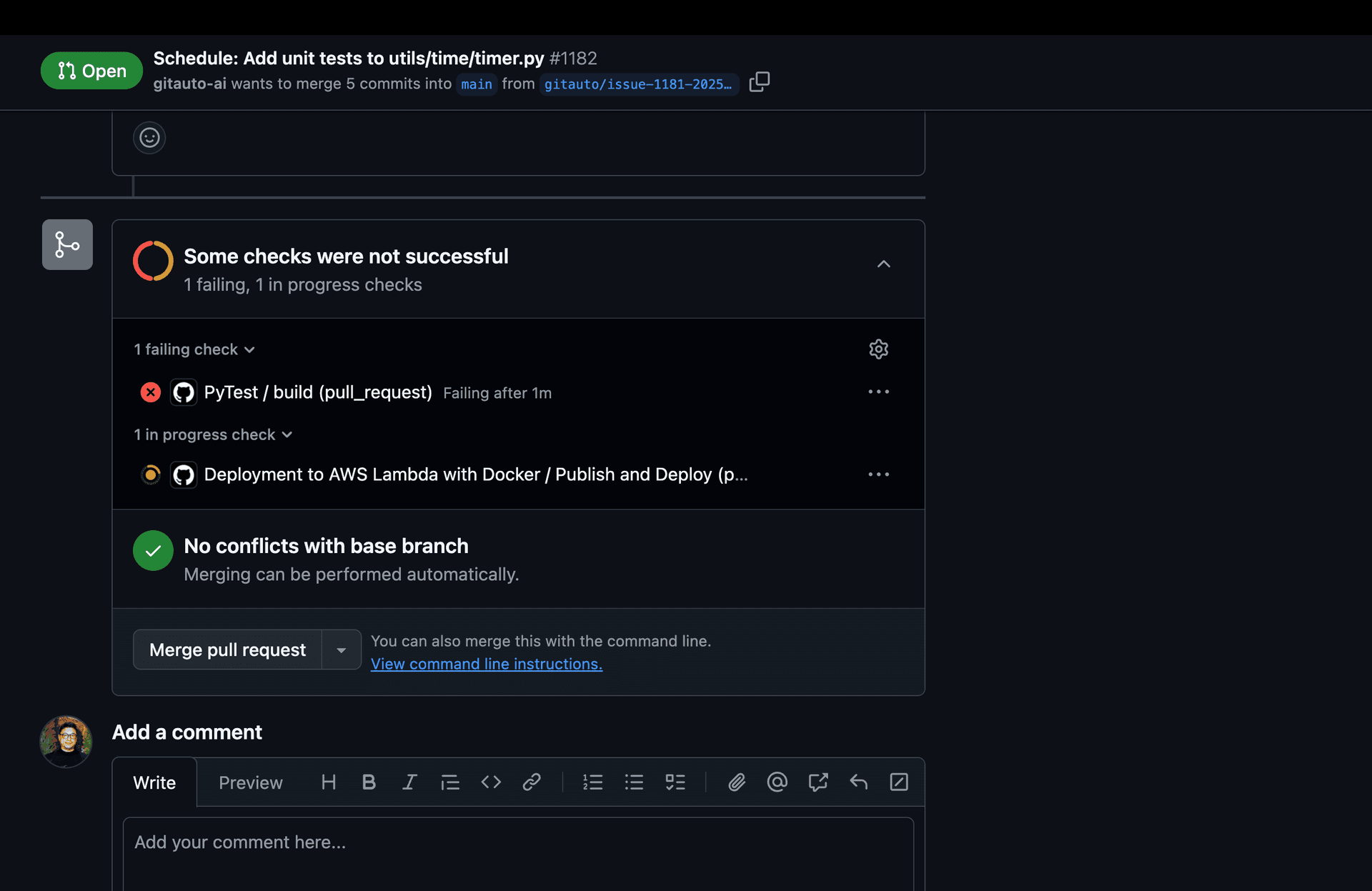
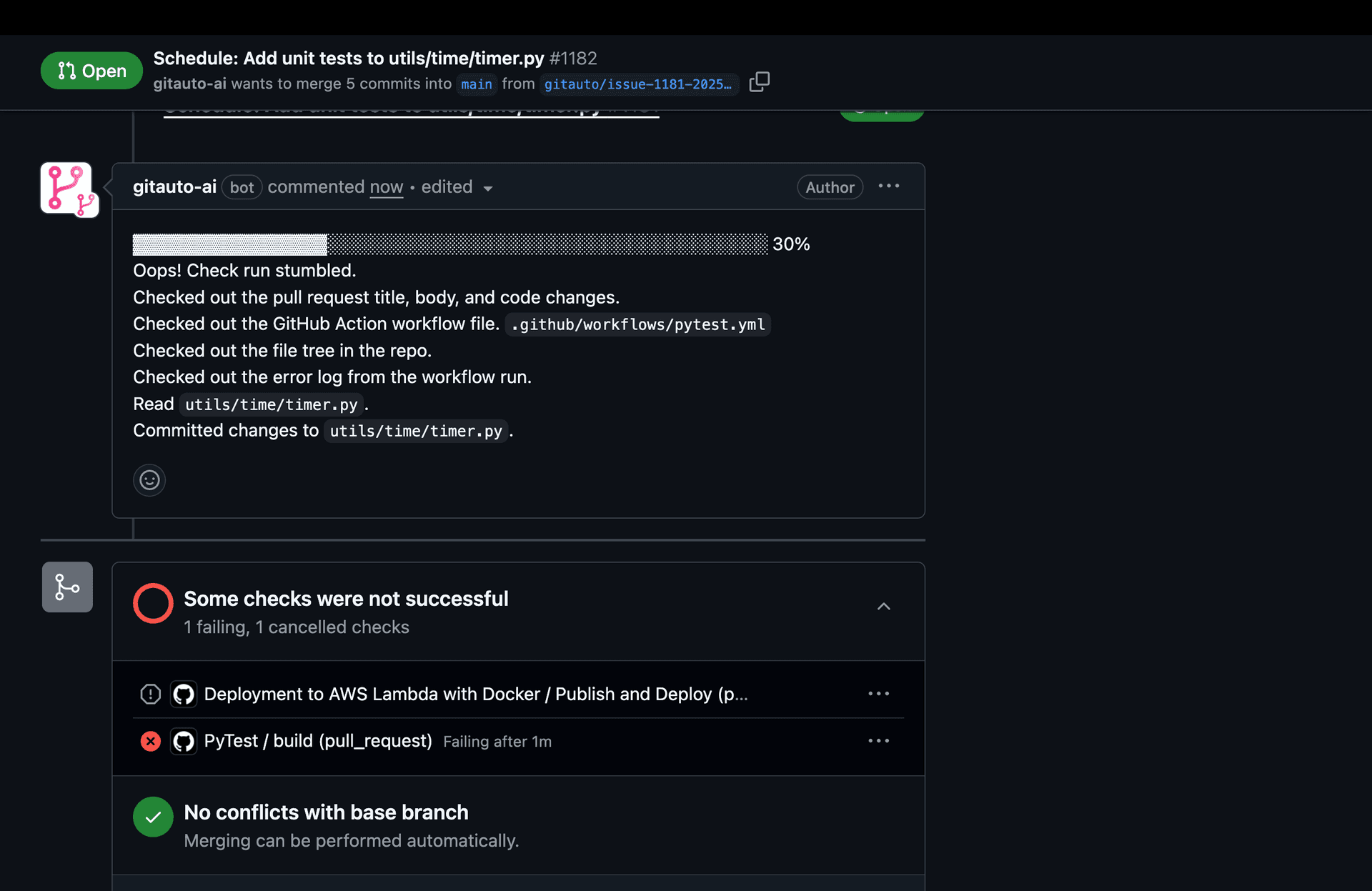
Screenshot showing a failed CI/CD workflow on a GitAuto pull requestScreenshot showing a failed CI/CD workflow on a GitAuto pull request and GitAuto is working on it
3

Error Analysis & Fix Creation

GitAuto analyzes the error logs, identifies the root cause, and creates a fix commit. It also attempts to cancel any running workflows to prevent resource waste. If the failure reveals a repo-specific pattern (e.g., a required env var or a type convention), GitAuto records it in GITAUTO.md to avoid the same mistake in future PRs.
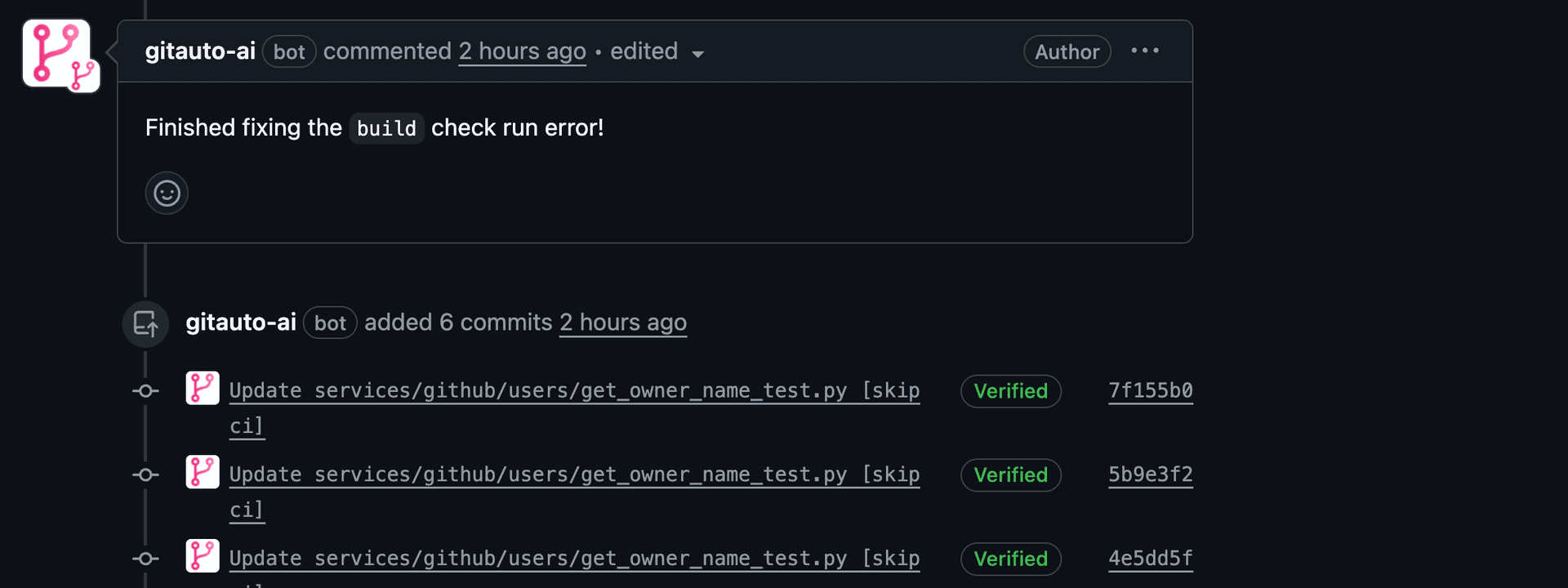
Screenshot showing GitAuto analyzing errors and creating fix commits
4

Safety Controls

If the automated process encounters issues or you want to stop it, you have two options:

Close the PR: This stops all GitAuto activity on that specific pull request
Delete the branch: This completely removes the branch and stops the process

Note: These safety mechanisms ensure you always have control over the automated fixing process.

Usage Cost

No Cost - Test failure fixes are free. This trigger adds fixes to existing GitAuto PRs without creating new ones.

Ready for automatic test fixing? Enable Test Failure Trigger in your settings and let GitAuto handle CI/CD failures automatically.

CI/CD Pipeline Chaos?

When your CI/CD pipeline is more complex than a Rube Goldberg machine, getting GitAuto to play nicely can be challenging. We love solving these integration puzzles!

Contact us and let's tame that pipeline!

Schedule TriggerReview Comment Trigger

Getting Started

  • Installation
  • Setup

Triggers

  • Overview
  • Schedule Trigger
  • Test Failure Trigger
  • Review Comment Trigger
  • Dashboard Trigger

Coverage Dashboard

  • Overview
  • Python Testing
  • JavaScript Testing
  • Java Testing
  • Go Testing
  • PHP Testing
  • Ruby Testing
  • Flutter Testing
  • Multi-Language
  • Coverage Charts

Customization

  • Repository Rules
  • Output Language
  • GITAUTO.md

Integrations

  • CircleCI Integration
  • npm Integration

How It Works

Context Enrichment

  • Line Numbers
  • Full File Reads
  • Test File Preloading
  • Test Naming Detection
  • Error Baselines
  • CI Log Cleaning
  • Trigger-Specific Prompts
  • Coding Standards

Output Auto-Correction

  • Diff Hunk Repair
  • Diff Prefix Repair
  • Tool Name Correction
  • Tool Argument Correction
  • Import Sorting
  • Trailing Space Removal
  • Final Newline
  • Line Ending Preservation
  • Sanitize Tool Arguments
  • Lint Disable Headers

Quality Verification

  • Formatting
  • Linting
  • Type Checking
  • Test Execution
  • Coverage Enforcement
  • phpcs / phpstan Support
  • PHPUnit Support
  • pytest Support
  • Snapshot Auto-Update
  • Untestable Detection
  • Should-Skip Detection
  • Dead Code Removal
  • Quality Check Scoring
  • Quality Checklist

Safety Guardrails

  • File Edit Restrictions
  • Temperature Zero
  • PR/Branch Checks
  • Race Condition Prevention
  • Bot Loop Prevention
  • Webhook Deduplication
  • Duplicate Error Hashing
  • Infrastructure Failure Detection
  • Strict Tool Schemas
  • No-Change Detection

Token/Cost Management

  • Token Trimming
  • Outdated Diff Removal
  • Stale File Replacement
  • Skip CI Intermediate
  • CI Log Deduplication
  • Web Fetch Summarization
  • Context Forgetting
  • File Query Routing
  • On-Demand Diff

Resilience & Recovery

  • Model Fallback
  • Overload Retry
  • Forced Verification
  • Error Files Editable

Hallucination Prevention

  • Web Search
  • URL Fetching
  • Anti-Hallucination Prompts
  • GITAUTO.md Restrictions
  • Review Response Guardrails

Ready to improve your test coverage?

Go from 0% to 90% test coverage with GitAuto. Start for free, no credit card required.

Install FreeContact Sales

Product

  • Home
  • Why GitAuto
  • What GitAuto Does
  • How It Works
  • Use Cases
  • How to Get Started
  • Solution
  • Pricing
  • Pricing Details
  • ROI Calculator
  • ROI Methodology
  • FAQ
  • Blog
  • Contact

Dashboard

  • Dashboard
  • Coverage Trends
  • File Coverage
  • Credits
  • Open PRs
  • Usage
  • Triggers
  • Actions
  • References
  • Rules
  • CircleCI Integration
  • npm Integration

Documentation

  • Docs
  • Getting Started
  • Setup
  • Triggers
  • Coverage Setup
  • Customization
  • How It Works
  • Auto Merge
  • CircleCI
  • npm

Legal

  • Privacy Policy
  • Terms of Service

Connect

  • GitHub
  • LinkedIn
  • Twitter
  • YouTube
GitAuto Logo© 2026 GitAuto, Inc. All Rights Reserved