GitAuto Logo
  1. Home
  2. Pricing
  3. Docs
  4. Dashboard
  5. Blog
  6. Contact
  1. Home
  2. How It Works
  3. Use Cases
  4. Pricing
  5. Docs
  6. Dashboard
  7. FAQ
  8. Blog
  9. Contact

Review Comment Trigger

The Review Comment Trigger allows you to request fixes on GitAuto-created PRs by leaving inline review comments or general PR comments, just like you would with human team members. GitAuto will analyze your feedback and create fix commits automatically.

Why use the review comment trigger?

Natural Workflow:Use the same GitHub review process you're already familiar with - no need to learn new tools or interfaces.

Flexible Feedback: Leave inline review comments on specific lines or files, or post a general PR comment. GitAuto understands both types of feedback.

Iterative Improvement: Continue the conversation with multiple rounds of feedback until the tests meet your exact requirements.

Perfect for:Fine-tuning generated tests, requesting specific test scenarios, and ensuring tests match your team's coding standards.

How to use the review comment trigger

1

Enable the Trigger

Go to your Trigger Settings and ensure "On review comment" is enabled. This trigger is enabled by default.

2

Open a GitAuto-created PR

Navigate to any pull request created by GitAuto in your repository. This trigger only works on PRs created by GitAuto, not on human-created PRs.
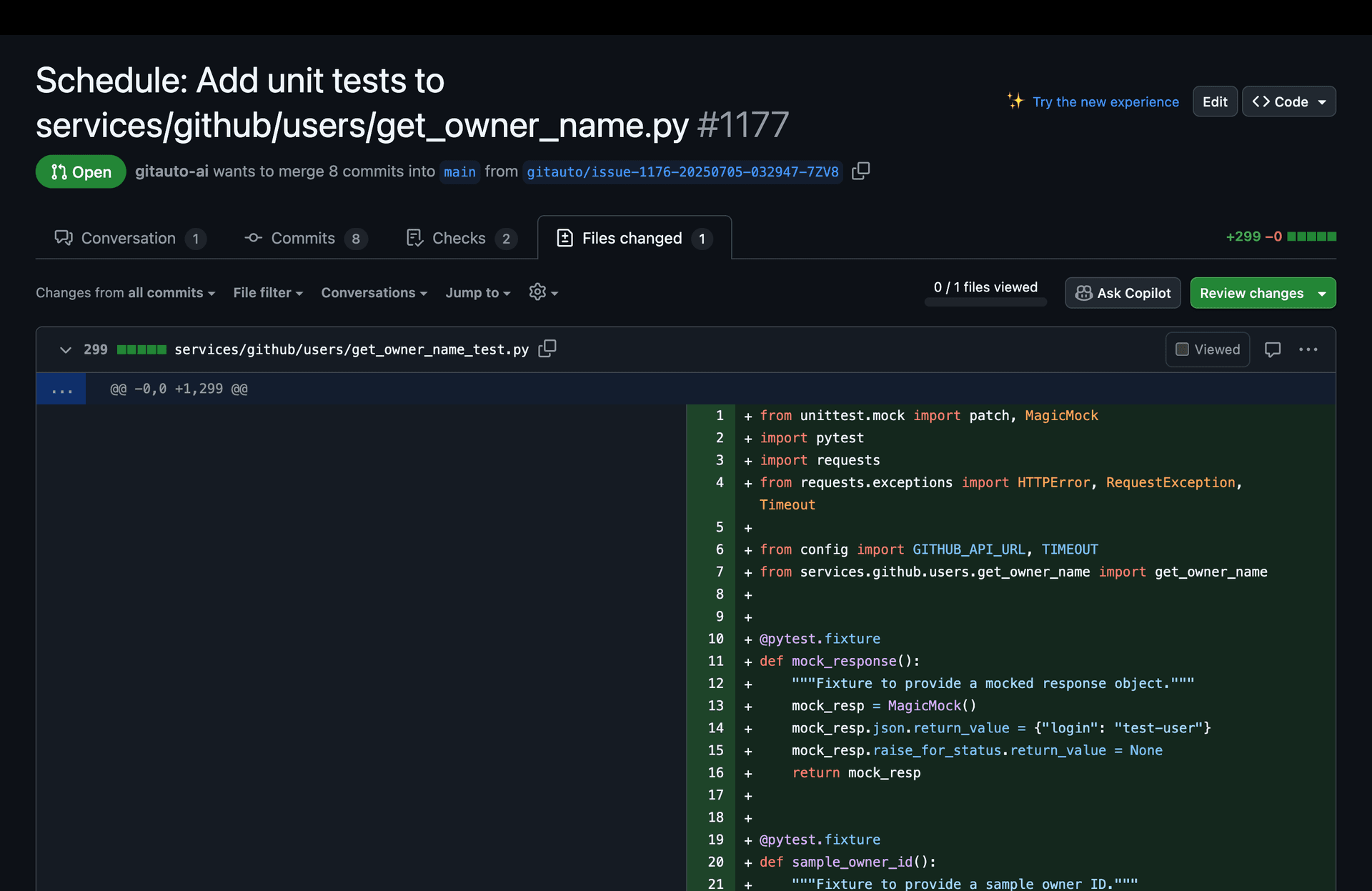
Screenshot showing a GitAuto-created pull request with test files
3

Leave Feedback

There are two ways to leave feedback on a GitAuto PR:

Option A: Inline Review Comments

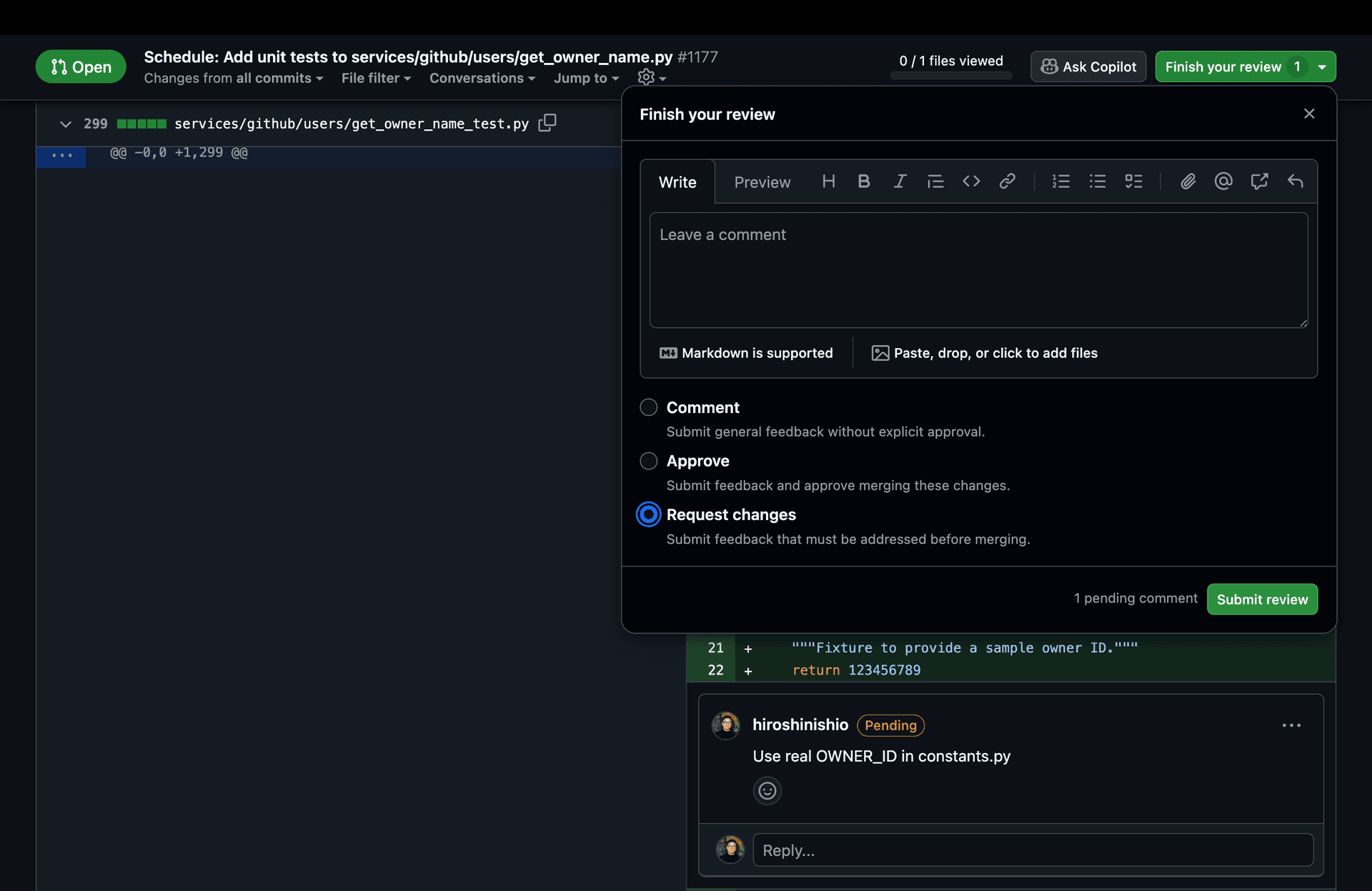
Click "Start a review" and select "Request changes". Leave comments on specific lines or files for targeted feedback.
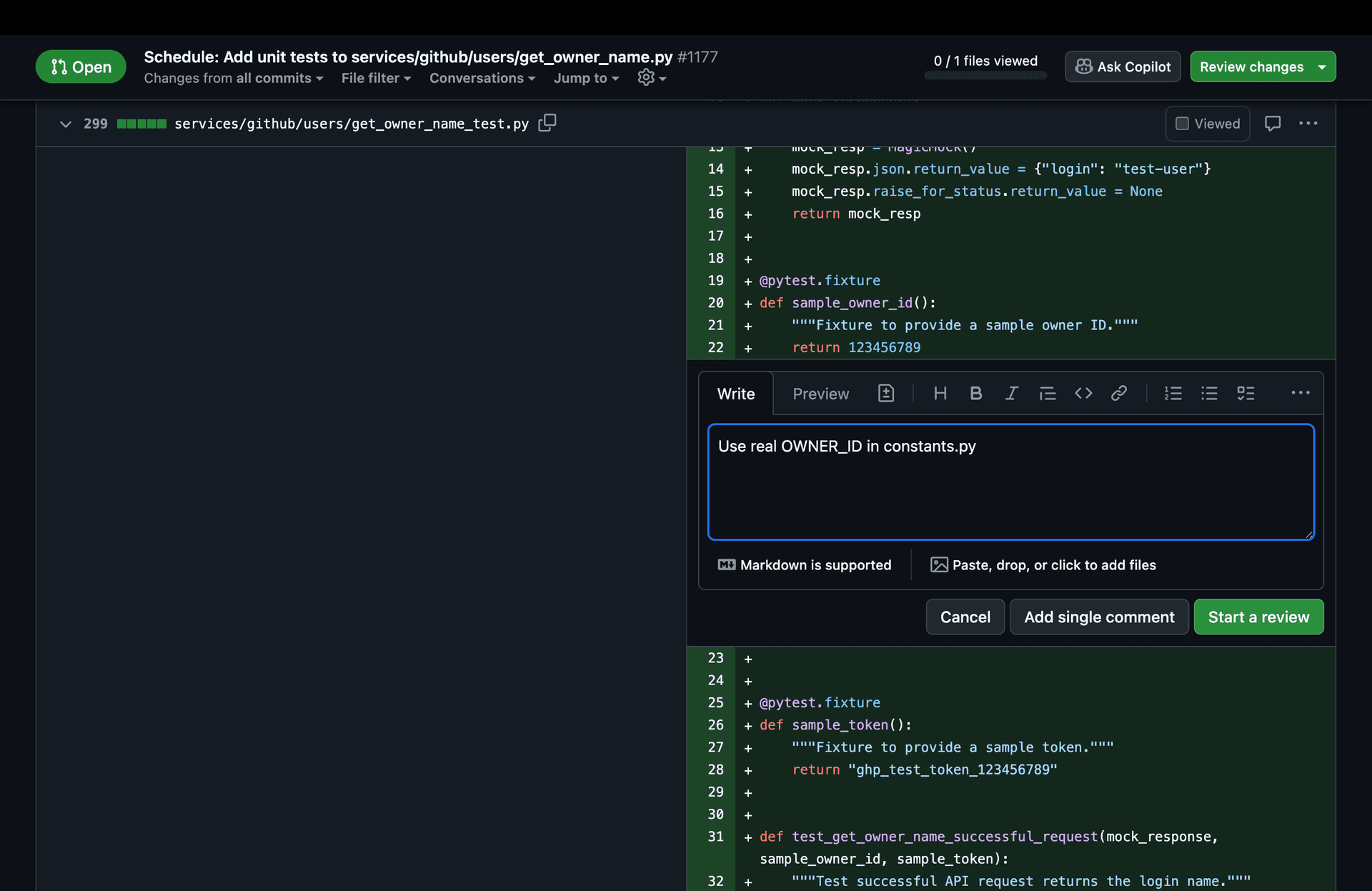
Screenshot showing how to add a review comment on a GitAuto PRScreenshot showing how to add a review comment on a GitAuto PRScreenshot showing how to submit a review request on a GitAuto PR

Important:Make sure to select "Request changes" when submitting your review. Comments without this selection won't trigger GitAuto. No need to tag or mention GitAuto.

Option B: General PR Comment

Post a regular comment in the PR conversation tab for general feedback that isn't tied to a specific line. This is useful for high-level requests like "you didn't complete the task" or "please also handle the error case".

Tip:General PR comments don't require the "Request changes" review flow - just type your comment and submit. No need to tag or mention GitAuto. GitAuto will respond with a linked reply.

4

GitAuto Creates Fix Commits

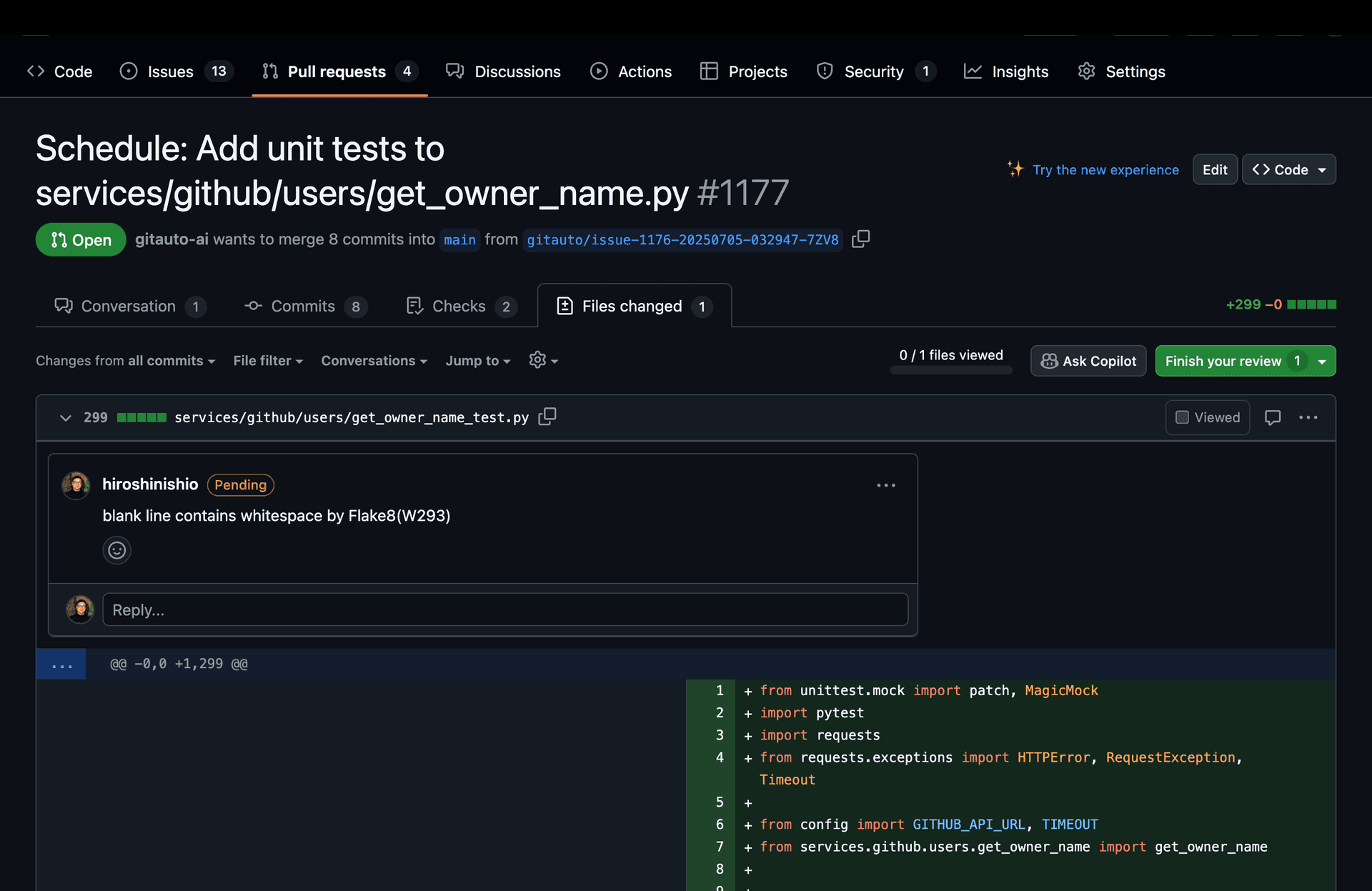
GitAuto will analyze your feedback and automatically create commits addressing your concerns. You can continue this process with additional review rounds if needed.

When your feedback represents a reusable pattern (e.g., "always use our shared test helpers"), GitAuto also records it in a GITAUTO.md file in your repo so it won't repeat the same mistake on future PRs.
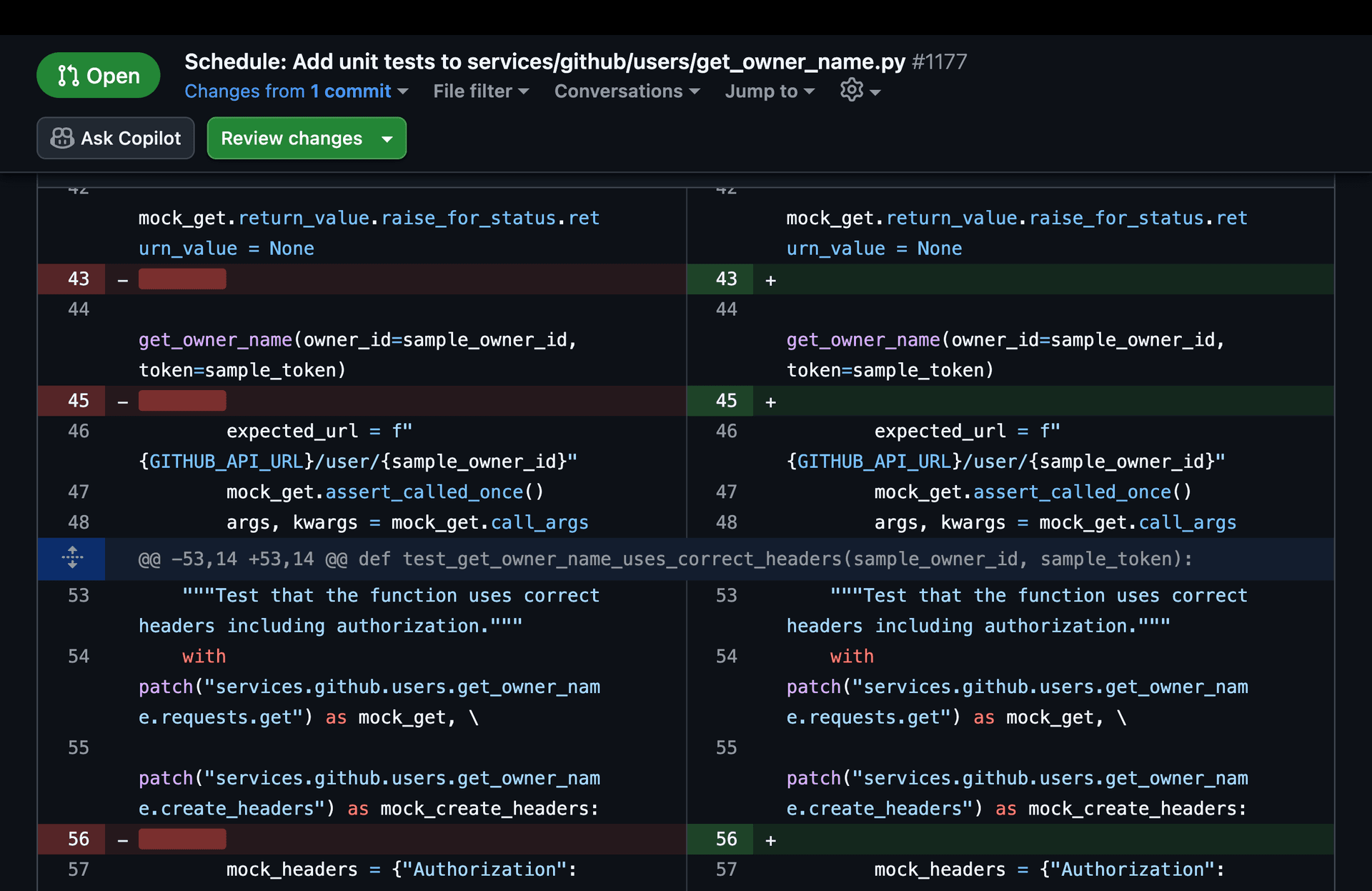
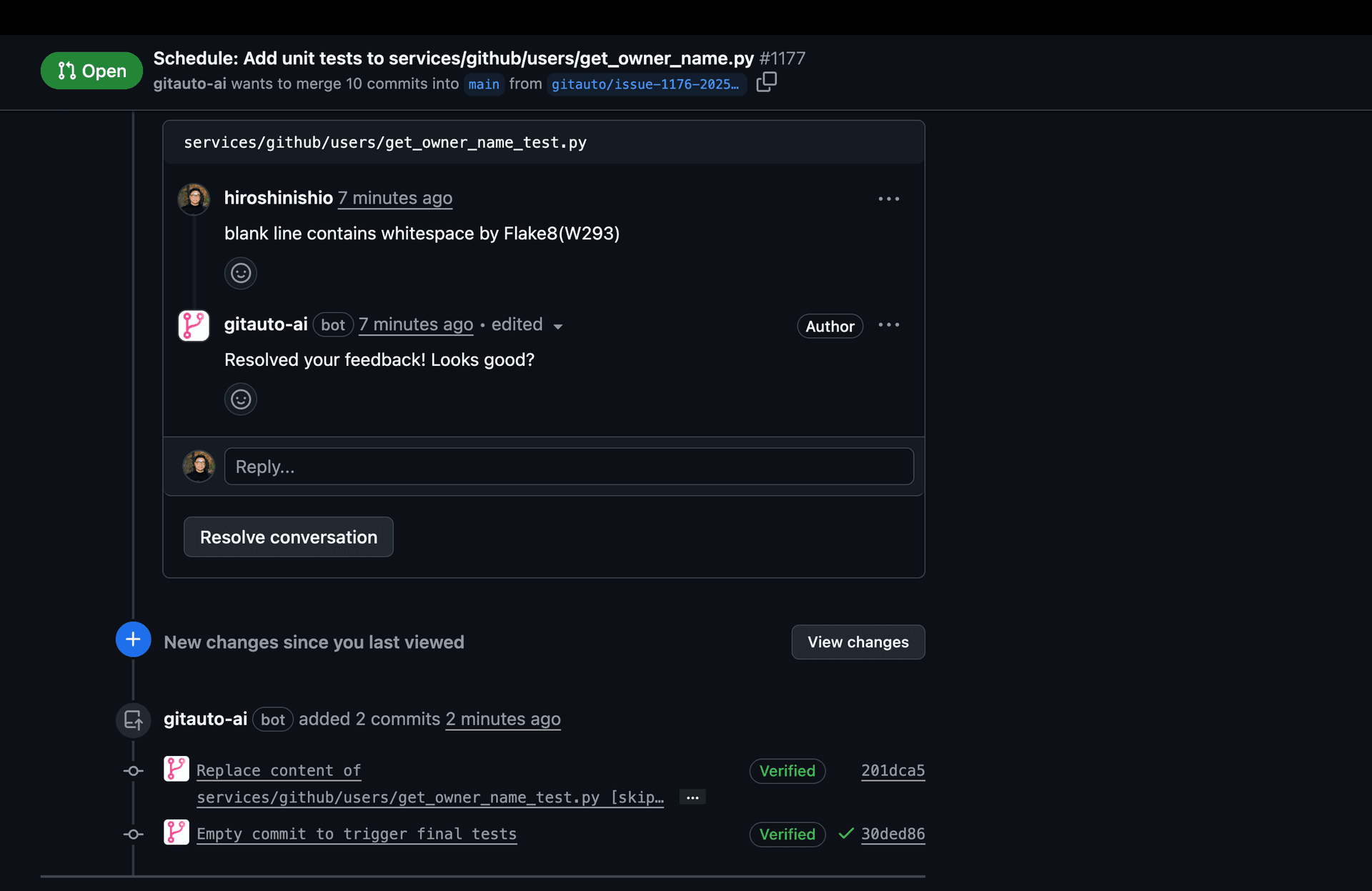
Screenshot showing GitAuto's fix commit responding to review feedbackScreenshot showing GitAuto's fix commit responding to review feedback

Retarget to a Different Branch

You can also ask GitAuto to change a PR's target branch via a review comment (e.g. "please target release/20260501 instead"). GitAuto will safely retarget the PR and rewrite the diff. See Sibling Branch Retarget for details.

See It in Action

Want to see a real-world example? Check out our case study on requesting changes where we walk through reviewing a test coverage PR and requesting additional edge case tests.

Usage Cost

No Cost - Review comments are free. This trigger adds fixes to existing GitAuto PRs without creating new ones.

Ready to collaborate with GitAuto? Find a GitAuto PR in your repository and start leaving review comments to fine-tune your tests.

Teaching GitAuto Your Style?

The review comment trigger is like having a conversation with a really eager junior developer. The more specific your feedback, the better GitAuto gets at matching your team's coding style and preferences.

Contact us for tips on effective GitAuto mentoring!

Test Failure TriggerDashboard Trigger

Getting Started

  • Installation
  • Setup

Triggers

  • Overview
  • Schedule Trigger
  • Test Failure Trigger
  • Review Comment Trigger
  • Dashboard Trigger

Coverage Dashboard

  • Overview
  • Python Testing
  • JavaScript Testing
  • Java Testing
  • Go Testing
  • PHP Testing
  • Ruby Testing
  • Flutter Testing
  • Multi-Language
  • Coverage Charts

Customization

  • Repository Rules
  • Output Language
  • GITAUTO.md

Integrations

  • CircleCI Integration
  • npm Integration

How It Works

Context Enrichment

  • Line Numbers
  • Full File Reads
  • Test File Preloading
  • Test Naming Detection
  • Error Baselines
  • CI Log Cleaning
  • Trigger-Specific Prompts
  • Coding Standards

Output Auto-Correction

  • Diff Hunk Repair
  • Diff Prefix Repair
  • Tool Name Correction
  • Tool Argument Correction
  • Import Sorting
  • Trailing Space Removal
  • Final Newline
  • Line Ending Preservation
  • Sanitize Tool Arguments
  • Lint Disable Headers

Quality Verification

  • Formatting
  • Linting
  • Type Checking
  • Test Execution
  • Coverage Enforcement
  • phpcs / phpstan Support
  • PHPUnit Support
  • pytest Support
  • Snapshot Auto-Update
  • Untestable Detection
  • Should-Skip Detection
  • Dead Code Removal
  • Quality Check Scoring
  • Quality Checklist

Safety Guardrails

  • File Edit Restrictions
  • Temperature Zero
  • PR/Branch Checks
  • Race Condition Prevention
  • Bot Loop Prevention
  • Webhook Deduplication
  • Duplicate Error Hashing
  • Infrastructure Failure Detection
  • Strict Tool Schemas
  • No-Change Detection

Token/Cost Management

  • Token Trimming
  • Outdated Diff Removal
  • Stale File Replacement
  • Skip CI Intermediate
  • CI Log Deduplication
  • Web Fetch Summarization
  • Context Forgetting
  • File Query Routing
  • On-Demand Diff

Resilience & Recovery

  • Model Fallback
  • Overload Retry
  • Forced Verification
  • Error Files Editable

Hallucination Prevention

  • Web Search
  • URL Fetching
  • Anti-Hallucination Prompts
  • GITAUTO.md Restrictions
  • Review Response Guardrails

Ready to improve your test coverage?

Go from 0% to 90% test coverage with GitAuto. Start for free, no credit card required.

Install FreeContact Sales

Product

  • Home
  • Why GitAuto
  • What GitAuto Does
  • How It Works
  • Use Cases
  • How to Get Started
  • Solution
  • Pricing
  • Pricing Details
  • ROI Calculator
  • ROI Methodology
  • FAQ
  • Blog
  • Contact

Dashboard

  • Dashboard
  • Coverage Trends
  • File Coverage
  • Credits
  • Open PRs
  • Usage
  • Triggers
  • Actions
  • References
  • Rules
  • CircleCI Integration
  • npm Integration

Documentation

  • Docs
  • Getting Started
  • Setup
  • Triggers
  • Coverage Setup
  • Customization
  • How It Works
  • Auto Merge
  • CircleCI
  • npm

Legal

  • Privacy Policy
  • Terms of Service

Connect

  • GitHub
  • LinkedIn
  • Twitter
  • YouTube
GitAuto Logo© 2026 GitAuto, Inc. All Rights Reserved