Schedule Trigger
The Schedule Trigger automatically generates unit tests at specified times, targeting files with the lowest test coverage. It runs consistently without manual intervention, prioritizing files by coverage percentage, file size, and alphabetical order.
Why use the schedule trigger?
Consistent Progress: Unlike human QA engineers who may be inconsistent or get pulled into other tasks, GitAuto runs exactly as scheduled every day, ensuring steady test coverage improvements.
Smart Prioritization: Automatically targets the most impactful files first - those with the lowest coverage and smallest size - maximizing your coverage improvements with minimal effort.
Cost Effective: 5 files per day × 20 workdays = 100 files with tests per month for $200-$800/month vs. hiring a dedicated QA engineer at $5,000+/month who may not consistently deliver 5 files per day.
Perfect for: Large codebases needing consistent coverage improvements, teams wanting gradual progress over event-driven testing, and organizations seeking to minimize manual intervention in test generation.
How to use the schedule trigger
Navigate to Settings
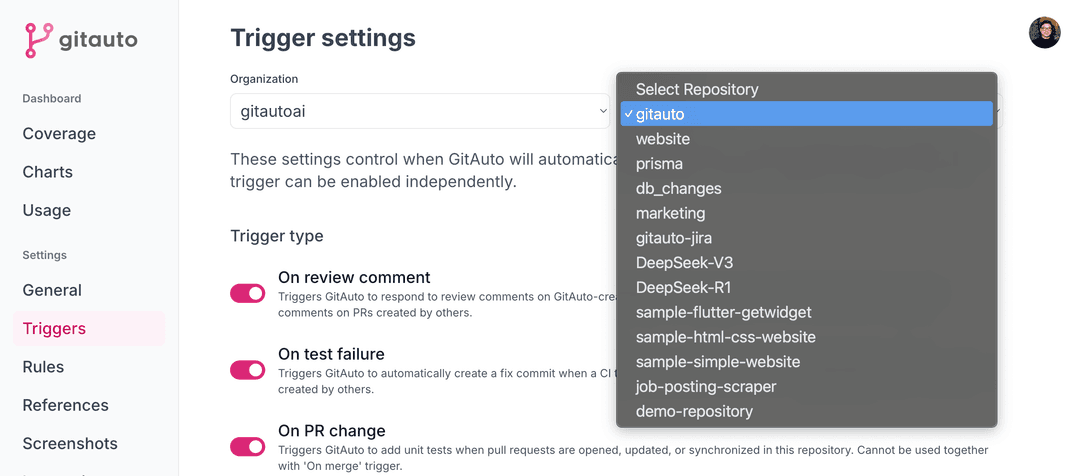
Go to your Trigger Settings page.
Select Repository
Choose the repository where you want to enable the Schedule Trigger.
Enable Schedule Trigger
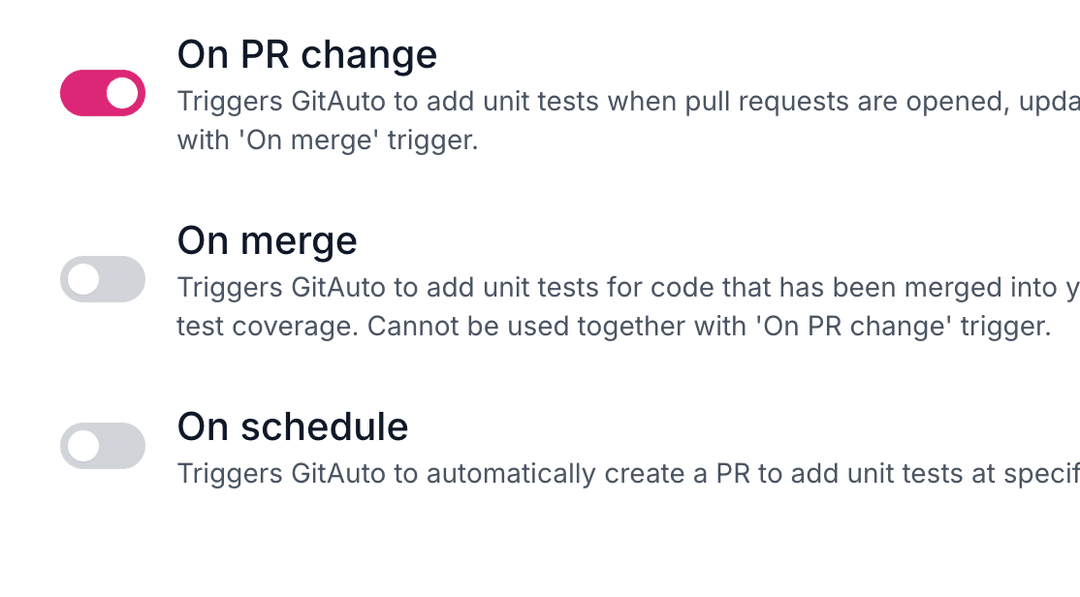
Toggle the "On schedule" option to enable the trigger.
Configure Schedule
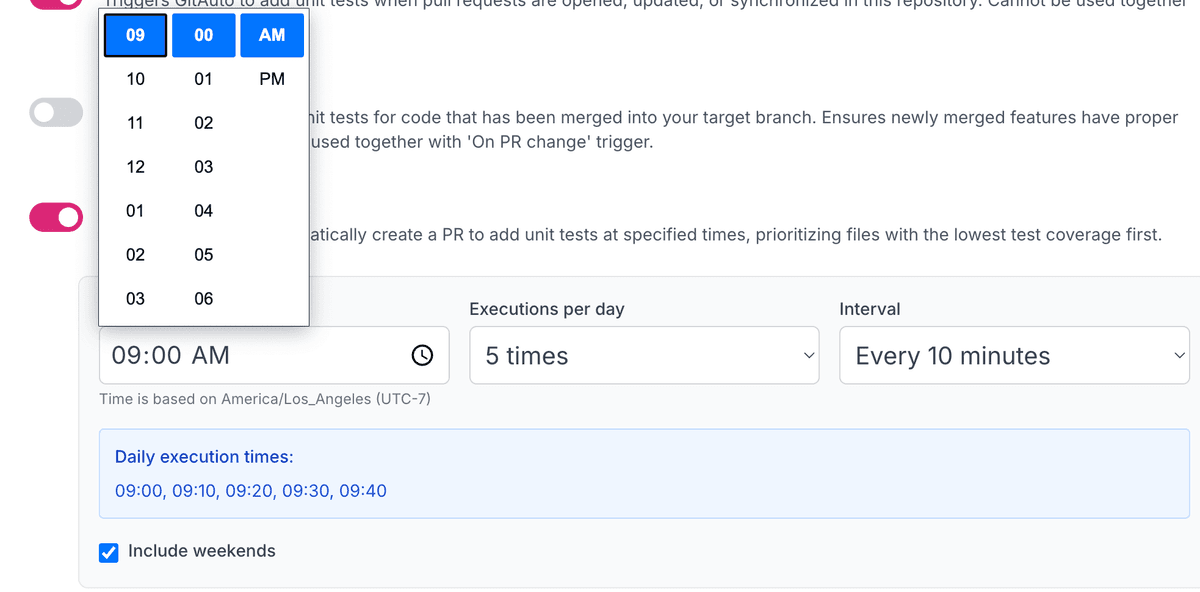
Set your start time (5, 10, 15, 20, 30, 60 minute intervals), execution count (1-12 times per day), and weekend preference.
Usage Cost
1 Pull Request - Each trigger creates one pull request with generated tests.
Ready to automate your test coverage? Enable Schedule Trigger in your settings and let GitAuto consistently improve your codebase while you focus on building features.
Planning Your Coverage Victory?
Going from 0% to 90% coverage is like planning a marathon! You need the right strategy, pacing, and realistic milestones. We love helping teams design their coverage improvement journey!
Contact us and let's map out your path to victory!