Coverage Dashboard
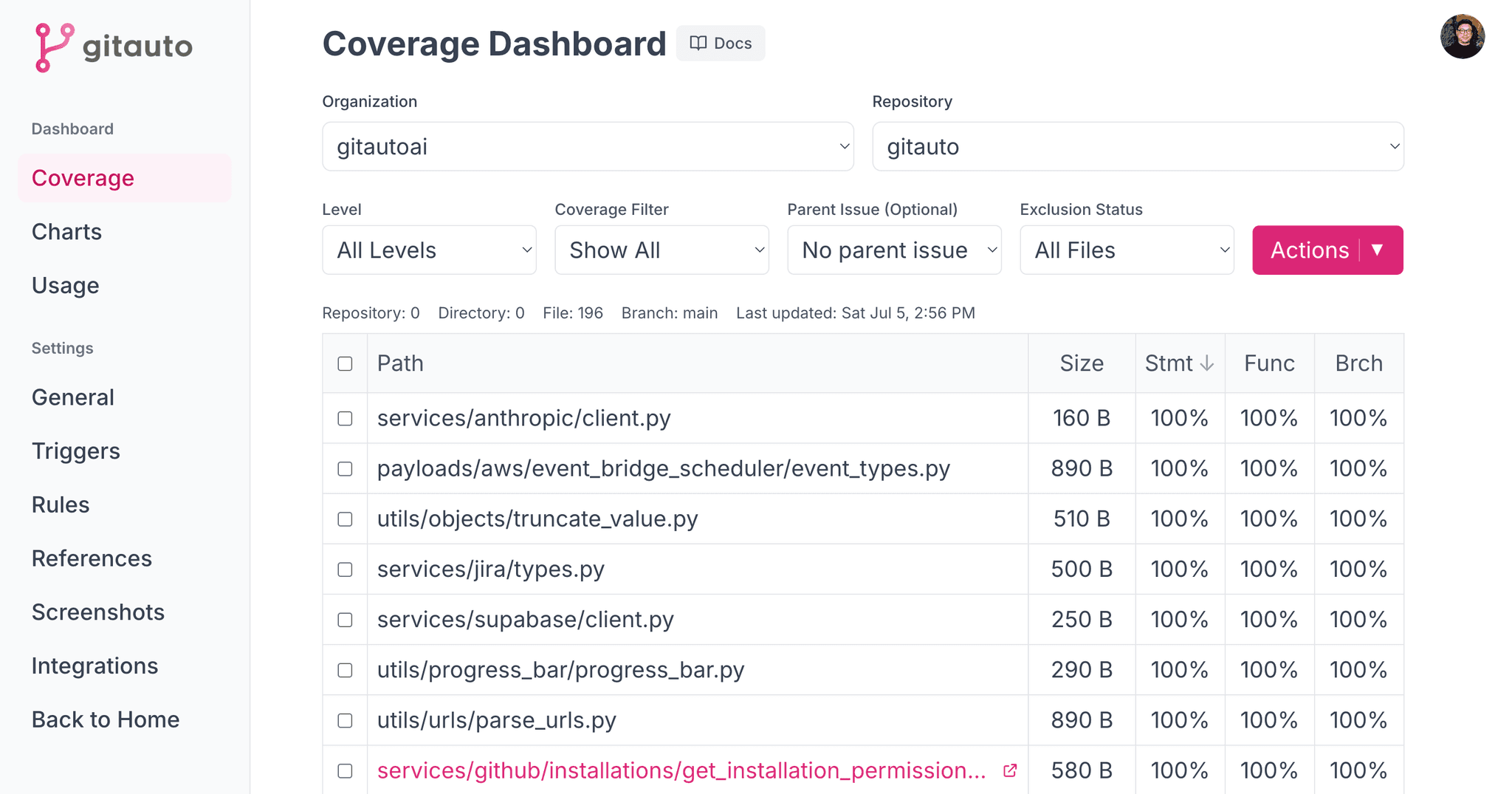
Learn how to use GitAuto's Coverage Dashboard to identify and improve low test coverage in your codebase.
Requirements
To use GitAuto's coverage analysis:
- Coverage report must be in LCOV format
- Report file must be named
lcov.info - Report must be uploaded as GitHub Actions artifact named
coverage-report - Your project uses GitHub (GitAuto is a GitHub App)
Language & Framework Support
GitAuto is language and test framework agnostic. Any programming language or testing framework that can generate LCOV reports is fully supported.
This means GitAuto works with any language or framework including Python, JavaScript, Java, Go, PHP, Ruby, C#, Rust, and many more. Any testing framework that generates LCOV reports is supported - pytest, Jest, JaCoCo, go test, PHPUnit, RSpec, xUnit, Cargo test, and others.
We provide detailed configuration examples for popular combinations to help you get started quickly:
Python
pytest and other Python test frameworks
JavaScript / TypeScript
Jest, Vitest, and other JavaScript / TypeScript test frameworks
Java
JaCoCo with Maven or Gradle
Go
Go's built-in test coverage tools
PHP
PHPUnit with Xdebug or PCOV
Ruby
RSpec with SimpleCov
Flutter
Flutter's built-in test framework
Multi-Language
Repositories with multiple languages (e.g., PHP + JS)
End-to-End
Playwright, Cypress, and other browser test frameworks
Dashboard Features
From the Coverage Dashboard, you can:
- View files with low test coverage
- Select specific files for improvement
- Create GitHub issues individually or in bulk
- Assign issues to GitAuto for automated improvement
- Track progress over time with Coverage Charts
Automated Improvements
Once issues are created and assigned to GitAuto, it will:
- Analyze the code in files with low coverage
- Generate appropriate test cases
- Create pull requests with the new tests
- Verify coverage improvements
Coverage Reports Not Showing Up?
Don't worry, we've all been there! LCOV setup can be tricky, and every testing framework has its quirks. Let's get your coverage dashboard populated with real data so you can start improving your tests.
Contact us and we'll help you debug it together!